Zsh and two Go programs help with typing

Programming Snapshot – Zsh and Go

© Photo by Klim Musalimov on Unsplash
When typing in the shell, Mike Schilli would like a function that offers recently modified files in a terminal user interface and builds them into his commands. The Z shell and two Go programs do the trick.
How many times have you typed a command in the shell (e.g., cp) and wanted to use a file that is lying around somewhere as a parameter (e.g., a screenshot you recently saved in the Desktop/ directory)? Now, you could type ~/Desktop/ and try to find the latest file there using shell completion, but it's even easier using the file grabbers presented in this issue. While you're still typing, a character-oriented user interface (terminal user interface or TUI) pops up in response to a hotkey. It contains a list from which shell enthusiasts can select a file path without taking their fingers off the keyboard in order to seamlessly return to the now completed command line.
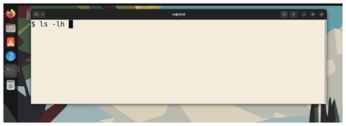
In Figure 1, the user types ls -lh and then wants to attach a file from the Desktop/ or Downloads/ folders as an argument. A short key press of Ctrl+R pops up the TUI shown in Figure 2. The user can now select one of the files on display using the cursor keys or the Vim commands (J for down; K for up). After pressing the Enter key, the shell transfers the file to the command line at the current cursor position as shown in Figure 3. The user can now continue typing, search for other files, or fire off the command by pressing Enter.
[...]
Buy this article as PDF
(incl. VAT)