Mitigating SSH brute-force threats on Linux systems
Visualizing SSH Access
If you want a live dashboard of SSH traffic, use logtop [9]. It shows a real-time count of IPs hitting your SSH server (Figure 6):
sudo apt install logtop
sudo tail -F /var/log/auth.log | logtop
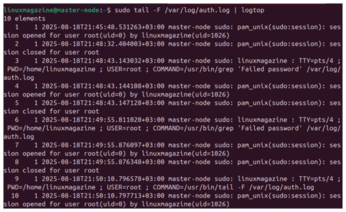
For web-based visual dashboards, GoAccess [10] works well when used with logs parsed through a custom filter. While GoAccess is typically used for web logs, it can be adapted to show SSH trends with some log formatting.
Command-Level Tracking
For deeper visibility, install the Linux Audit Daemon (auditd) [11], which lets you log exactly what users do after connecting, including command usage and file access.
You can install auditd with
sudo apt install auditd audispd-plugins
To track all executed commands, use
sudo auditctl -a always,exit -F arch=b64 -S execve
Logs will appear in /var/log/audit/audit.log. Use ausearch and aureport to filter data.
You can also track file access with
sudo auditctl -w /etc/ssh/sshd_config -p wa -k ssh_config_watch
This alerts you to any changes to the SSH configuration file, even by root.
Final Checklist
Rate-limiting SSH traffic with iptables or ufw is a simple yet effective way to slow down attackers. Port knocking takes it a step further by hiding your SSH service entirely unless the right knock is received.
Combined with key authentication and tools like Fail2ban, these techniques form a layered defense strategy that can stop both casual bots and targeted brute-force attempts. Here's a summary checklist:
- Disable password logins and enforce key-only authentication
- Use Fail2ban to automatically block repeated failures
- Rate-limit login attempts using iptables or ufw
- Hide SSH using
knockdand port knocking - Regularly review logs in
/var/log/auth.logorsecure - Set up daily reports with Logwatch
- Enable real-time alerts using Logcheck or
swatch - Use
auditdto log command-level activity - Visualize access trends with
logtopor dashboards
SSH is a powerful and flexible tool, but it's also a common target for attacks. Fortunately, Linux gives administrators all the tools they need to defend against brute-force attempts.
With the strategies covered in this article, from authentication hardening and firewall tuning to log-based detection and command auditing, you can turn SSH from a vulnerable gateway into a hardened fortress.
Infos
- Fail2ban: https://github.com/fail2ban/fail2ban
- iptables: https://linux.die.net/man/8/iptables
- nftables: https://wiki.archlinux.org/title/Nftables
- ufw: https://wiki.archlinux.org/title/Uncomplicated_Firewall
- knockd: https://linux.die.net/man/1/knockd
- Logwatch: https://sourceforge.net/projects/logwatch
- Logcheck: https://logcheck.org/
- swatchdog: https://github.com/ToddAtkins/swatchdog
- logtop: https://manpages.ubuntu.com/manpages/plucky/man1/logtop.1.html
- GoAccess: https://goaccess.io/
- auditd: https://linux.die.net/man/8/auditd
The Author

Neville Ondara is a systems engineer and Linux enthusiast who enjoys demystifying security tools and writing about real-world defensive strategies.
« Previous 1 2 3 4
Buy this article as PDF
(incl. VAT)