


Make a camera for lenticular photography

Wiggle Time
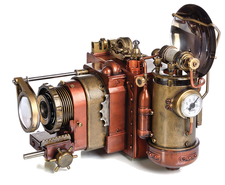
© Lead Image © 3355m, 123RF.com
You can take lenticular images with a homemade camera to re-create the "wiggle" pictures of your childhood.
Lenticular images store multiple exposures in the same area. Animation is achieved by tilting the image. Another application creates a spatial appearance without special tools (autostereoscopy). The digital version of this often shows up on social media as a "wigglegram."
Lenticular Cameras
On the consumer market, lenticular cameras are sold under the name ActionSampler. More than 40 years ago, the four-lens Nishika (Nimslo) appeared, followed by Fuji's eight-lens Rensha Cardia in 1991. Unlike the Nishika's synchronous shutter action, the Fuji exposed the 35mm film sequentially. Even today, the analog scenes are still very popular on Instagram and the like.
One way of creating a multilens digital recording system is to use a Raspberry Pi and a Camarray HAT [1] (hardware attached on top) by ArduCam [2]. The camera I make in this article uses four Sony IMX519 sensors arranged at a distance of 4cm apart (Figure 1). After the first exposure, you can move the device by half the camera distance, which produces eight shots of a subject at equal distances with a total of 32 megapixels (MP).
[...]
Buy this article as PDF
(incl. VAT)
Buy Linux Magazine
Subscribe to our Linux Newsletters
Find Linux and Open Source Jobs
Subscribe to our ADMIN Newsletters
Support Our Work
Linux Magazine content is made possible with support from readers like you. Please consider contributing when you’ve found an article to be beneficial.

News
-
Office 365 Available for Testing on Linux via Bottles
Linux users can now test the official Office 365, thanks to Mirko Brombin's work on Bottles.
-
Dutch Government Turns to Open Source for Digital Sovereignty
Following in the footsteps of other European countries, the Netherlands is looking to increase its sovereign digital infrastructure with open source software.
-
Linux May Soon Work on Snapdragon X2-Based PCs
If you're thinking about buying a Snapdragon X2-based desktop or laptop, Linux may soon be an option.
-
KDE for People Initiative Calls for AI Ban in Plasma
A new community of KDE wants the project to adopt a strict no-AI policy for KDE Plasma.
-
KDE Sets Ambitious Goals for 2026 and Beyond
KDE Connect reveals the goals for the Linux desktop darling, with one of those goals long overdue.
-
It’s Time to Test Fedora 45 Beta
Fedora 45 beta has been released with updated Gnome, KDE Plasma, and kernel.
-
Ubuntu Stonking Stingray Gets Even Rustier
Ubuntu 26.10 has completed its migration to the Rust-based coreutils.
-
AI Fixes Linux Bottlenecks Using “Hideous” Code
A Linux developer used AI to fix bottlenecks that caused problems when building the kernel. The resulting AI-generated code needed a lot of work.
-
Advanced Video Coding Still Under Patent
Brazilian patent BRPI0109962B1 has expired, which means that DivX and Xvid are no longer problematic for Linux, but it doesn’t mean that video is all of a sudden fully unleashed.
-
2,000 Vulnerabilities per Linux Release
Thanks to AI bug hunters, the Linux kernel is seeing record numbers of vulnerabilities, and it's overwhelming developers.