


Starting a podcast with Linux and Audacity

Live Mic
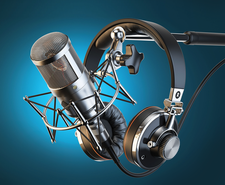
Audacity is a free, open source, easy-to-use, multitrack audio recording and editing tool perfect for podcasts.
Audacity [1] is one of those "must-have" tools for anyone who records or edits audio files. It is cross-platform (macOS, Windows, Linux), making sharing files and collaboration easier. The Audacity audio editor and recorder comes with an easy-to-use interface and works with a wide range of hardware. Audacity supports direct microphone or through-a-mixer recording in mono or stereo, and it includes some convenient keyboard shortcuts for more efficient editing. You can record directly into Audacity or open most audio and some video file types for editing. In this article, I cover direct recording into Audacity using a single source (microphone) and some basic editing. You will only use a handful of effects and features for simple podcasting. The effects I describe in this article are the ones I use most often. I've done some advanced editing, but those few times are exceptions.
Pro Tip: Make your podcast more appealing to listeners by removing silence, adding intro and outro clips, and adding background music.
One of the most-often-asked questions about podcasting is, "How much does it cost to start a podcast?" The answer sounds sarcastic, but it ranges from $0 to thousands. It's $0 if you have a functional computer running Linux, use an onboard microphone, and install Audacity. Hosting might also be free if you use one of the free online aggregation services. These services take your podcast and distribute it to seven or eight of the big podcast providers, such as Google Podcasts, Apple Podcasts, Amazon Music, and others. You could also purchase a new computer, a new high-end microphone or set of microphones, a mixing device, and you get the idea. If you have a computer you can use, install Linux on it, install Audacity, and buy a good microphone. The microphone's price often reflects its quality. However, a microphone at the $100 price point will serve you well. You can always upgrade later should you acquire sponsors or followers who donate to your show.
[...]
Buy this article as PDF
(incl. VAT)
Buy Linux Magazine
Subscribe to our Linux Newsletters
Find Linux and Open Source Jobs
Subscribe to our ADMIN Newsletters
Support Our Work
Linux Magazine content is made possible with support from readers like you. Please consider contributing when you’ve found an article to be beneficial.

News
-
Fedora 45 Now Available
The latest iteration of Fedora has arrived with Gnome 51 and KDE Plasma 6.8.
-
Linux 7.4 is "Much Healthier" Thanks to AI
At nearly 42 million lines, Linux 7.4 is the largest merge in the kernel’s history.
-
Working Exploit for a Linux Kernel Flaw Made Public
Even before a bug received its CVE identifier or an upstream fix, the local privilege escalation vulnerability exploit found its way into the wild.
-
r/opensource Bans AI-Assisted and AI-Related Projects
The de facto subreddit for all things open source has not only banned AI-related projects but also users who "don't speak English."
-
Bottlenecks Discovered by Meta Engineers Lead to Scalability Improvements
Thanks to a small group of engineers at Meta, the Linux kernel module kernfs has been improved, which has led to some serious gains.
-
PwnEscape Poses VM Vulnerability
A guest-to-host escape flaw in Linux KVM, named PwnEscape, might be yet another means of attacking Linux.
-
Linux Mint 27 Set for a Christmas Release
The developers behind Linux Mint have announced a Christmas release, and it looks like Santa's sack will be brimming with features.
-
Is Linus Torvalds Vibe Coding?
The creator of Linux has added AI into his process for Linux kernel development, and it's more than just for debugging.
-
openKylin 3.0 Released with Expanded AI Integration
The latest release features a pre-installed AI agent to help perform tasks.
-
DigitalOcean Ends Open Source Credits Program
In a change that has surprised many open source developers, DigitalOcean has decided to sunset its Open Source Credits Program.