


Go App Analyzes Sharpness Levels

Programming Snapshot – Rating Image Sharpness in Go

© Photo by Dan DeAlmeida on Unsplash
Which image in a series is the sharpest? Mike Schilli explores the depths of sharpness physics with homemade Go tools.
My relatively new smartphone usually takes exceptionally sharp pictures, but not always. Why is that? A smartphone camera does not just contain an image sensor but also a powerful AI brain that directs the camera's autofocus to what it thinks should be the focal point of the image.
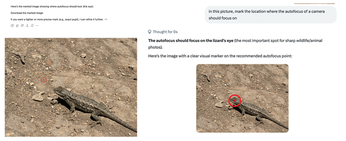
Veteran photographers know that critical viewers of, say, animal photos expect the area around the eyes to be razor-sharp. The rest of the animal can appear slightly out of focus due to limited depth of field without detracting from the overall impression. Now, Apple and other smartphone camera manufacturers use all sorts of tricks to determine the area to focus on while conserving battery life as much as possible. This does not seem to work with reptiles like the one in Figure 1. No matter how many times I took photos of that cheeky little lizard on a hiking trail, not a single photo in the series turned out 100 percent sharp – in order to make the lizard's head "pop," as the pros say.
[...]
Buy this article as PDF
(incl. VAT)
Buy Linux Magazine
Subscribe to our Linux Newsletters
Find Linux and Open Source Jobs
Subscribe to our ADMIN Newsletters
Support Our Work
Linux Magazine content is made possible with support from readers like you. Please consider contributing when you’ve found an article to be beneficial.

News
-
Bottlenecks Discovered by Meta Engineers Lead to Scalability Improvements
Thanks to a small group of engineers at Meta, the Linux kernel module kernfs has been improved, which has led to some serious gains.
-
PwnEscape Poses VM Vulnerability
A guest-to-host escape flaw in Linux KVM, named PwnEscape, might be yet another means of attacking Linux.
-
Linux Mint 27 Set for a Christmas Release
The developers behind Linux Mint have announced a Christmas release, and it looks like Santa's sack will be brimming with features.
-
Is Linus Torvalds Vibe Coding?
The creator of Linux has added AI into his process for Linux kernel development, and it's more than just for debugging.
-
openKylin 3.0 Released with Expanded AI Integration
The latest release features a pre-installed AI agent to help perform tasks.
-
DigitalOcean Ends Open Source Credits Program
In a change that has surprised many open source developers, DigitalOcean has decided to sunset its Open Source Credits Program.
-
Office 365 Available for Testing on Linux via Bottles
Linux users can now test the official Office 365, thanks to Mirko Brombin's work on Bottles.
-
Dutch Government Turns to Open Source for Digital Sovereignty
Following in the footsteps of other European countries, the Netherlands is looking to increase its sovereign digital infrastructure with open source software.
-
Linux May Soon Work on Snapdragon X2-Based PCs
If you're thinking about buying a Snapdragon X2-based desktop or laptop, Linux may soon be an option.
-
KDE for People Initiative Calls for AI Ban in Plasma
A new community of KDE wants the project to adopt a strict no-AI policy for KDE Plasma.