

Ubuntu 8.10
The powerful and practical Ubuntu Linux is known around the world for reliability and ease of use. Ubuntu's uncluttered menus deliver a smart collection of some of the best and brightest open source tools. This month's double-sided DVD comes with 32-bit and 64-bit versions of Ubuntu 8.10 "Intrepid Ibex."
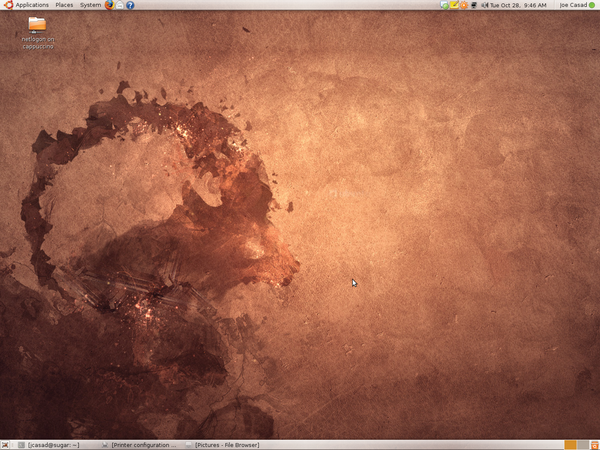
New with the latest release is the Gnome 2.24 desktop, which offers better video conferencing, new themes, and improvements to the Nautilus file manager. You'll also find an improved NetworkManager utility and updates to many of the principal Ubuntu applications.
Highlights
Linux kernel 2.6.27
Gnome 2.24
Synaptic 0.6.2
Nautilus 2.24.1
Evolution 2.24.1
Firefox 3.0.0
GIMP 2.6
OpenOffice 2.4.0
Brasero 0.8.2
Rhythmbox 0.11.6
Totem 2.24.2
F-Spot 0.5.0
Ekiga 2.0.12
Tomboy 0.12.0
Samba 3.2
Python 2.5.2
Additional Resources
[1] Ubuntu Linux: http://www.ubuntu.com/
[2] Ubuntu Forums: http://ubuntuforums.org/
[3] Ubuntu wiki: https://wiki.ubuntu.com/
[4] Kubuntu – Ubuntu KDE derivate: http://www.kubuntu.org/
[5] Edubuntu – Ubuntu derivate for schools: http://www.edubuntu.org/
System Requirements
Processor: Runs on most Intel x86-based PCs, such as Intel Pentium and AMD Athlon
Memory: 384MB Minimum
Free Disk Space: 2GB Minimum
Double-sided DVD
This DVD is a double-sided disc. A DVD device always reads the side of the disc that is facing down. This DVD is labeled like a normal DVD – the label you see as you place the disk into the tray applies to the data on the opposite side.
Help & Support
For a summary of Ubuntu community resources, see http://www.ubuntu.com/support. For information on paid professional support, see http://www.ubuntu.com/support/paid.
Our Services
Direct Download
Read full article as PDF » Linux_Magazine_DVD.pdf (412.78 kB)Tag Cloud
News
-
FSF Outs the World Wide Web Consortium over DRM Proposal
Richard Stallman calls for the W3C to remain independent of vendor interests.
-
Debian 7.0 Debuts
The new release supports nine architectures, 73 human languages, and zero non-Free components.
-
Alpha Version of Fedora 19 Released
Fedora developers release the first alpha version of Fedora 19, known as Schrödinger’s Cat, for general testing. The final release is expected in July 2013.
-
ack 2.0 Released
ack is a grep-like, command-line tool that has been optimized for programmers to search large trees of source code.
-
SUSE Studio 1.3 Released
New features in SUSE Studio 1.3 include enhanced cloud integration, VM platform support, and lifecycle management.
-
Xen To Become Linux Foundation Collaborative Project
The Linux Foundation recently announced that the Xen Project is becoming a Linux Foundation Collaborative Project.
-
RunRev Releases Open Source Version of LiveCode
Open source version of LiveCode is now available for developing apps, games, and utilities for all major platforms.
-
OpenDaylight Project Formed
OpenDaylight is an open source software-defined networking project committed to furthering adoption of SDN and accelerating innovation in a vendor-neutral and open environment.
-
Gnome 3.8 Released
The new Gnome release includes privacy and sharing settings, allowing more user control over access to personal information.
-
Mozilla and Samsung Collaborate on New Browser Engine
Mozilla is collaborating with Samsung on a new web browser engine called Servo.

great post
http://www.cocoschanel.com
http://www.gucciguccis.com
http://www.urboots.com
http://www.handbags2012.com
http://www.louisvuittonslv.com
http://www.uggmalls.com
Ubuntu 8.10 Ultimate Suberb Distro
Installed 8.10 (Ultimate edition) and ABSOLUTELY EVERYTHING worked out of the box. Wifi, sound, synaptics touch pad you name it, it worked.
My laptop has always had problems with partitioning software (killed my windows install every time!) but when I used the ubuntu CD for partitioning It did it in about 20 mins and left my windows partion working!
You've lost another user Mr. Gates!
Ubuntu 8.10 the best yet!
Installation proceeded without a hitch. It flawlessly recognised both my HP1020 Laser and HP Deskjet F370 printers, has no trouble reading windows drives ( I can, in fact play windows music on ubuntu without conversion by using the restricted format drivers)
Wired and Wireless internet connections were present and working.
The only glitch such as it was, was a lack of sound. This was resolved by the simple expedient of trying each option in turn and was resolved within ten minutes.
So impressed I put it on my compaq laptop where it installed flawlessly setting up the OS, printers, wireless, Bluetooth, Wired ethernet and sound without a hitch.
HIGHLY RECOMMENDED. I should also point out that I am a native windows user, with limited programming and linux experience.
Ubuntu 8.10
-- jim
UBUNTU 8.10 DVD
ubuntu 8.1 dvd
Easy Install
Ubuntu 8.10 Install
UBUNTU 8.10 DVD
So I took out the DVD, put it in the PC and started overcoming the installation issues as they arose.
When I last installed Ubuntu 8.04, I put the DVD into a running system (Feisty Fawn) and it recognised the DVD and started to offer helpful installation aid right away. Not this one.
Now, my DVD player seems to lie in some dark recess that the boot firmware does not reach. I can set up a boot from diskette, CD, Disk, USB disk, SCSI disk etc, but no DVD. I did manage to mount the 8.10 DVD and after some playing around, I got it to give me some options one of which declared that it could be used for just this circumstance. I used the option and a reboot brought the installation into life - sorted - or so I thought.
After reformatting (I did try the reformat a single partition option but that gave me insufficient space problems, so I reformatted the whole disk) the install ran to completion and I had a running Ubuntu 8.10. I was delighted to find some of my old gremlins were fixed. The WiFi now connected with little effort. Firefox allowed me to play the BBC video clips in-browser rather than the older download-the-file then play it outside of the browser. All was looking good.
Then I made the mistake of doing a reboot. Well you have to some time don't you?
After a long firmware pause while it looks for IDE devices it then lists the Ubuntu versions available for loading from disk, starts a load from hda0, shows the Ubuntu initialising screen but with an orange bar ranging forwards and backwards across the screen (not progressing left to right as usual), then drops out into character mode with the message:
Gave up waiting for root device
Offers some suggestions but little information about how to fix the suggestions, then displays
Busybox
Now this appears to be a shell.......but what to do now?
Does anyone know if there is a way to repair the situation? Al I can think of is to find a CD version of Linux (the helpful "fix" Ubuntu made to allow me to boot from DVD has been wiped) and install that, then start all over again on Ubuntu 8.10.......or will it happen all over again?
