


Making art in the terminal window
Bringing It All Together
The main function is the place where everything falls in its proper place. First, it loads the font and cries for help if it cannot find the required 4096 byte long font file, with 256, 8x16 bitmaps. Then it sets up signal handlers to catch Ctrl+C (to quit) and SIGWINCH (window resize) and enters a while(g_running) loop.
Inside the loop, the function:
- Checks if a resize (
g_resize_pending) has happened. If so, it regenerates the wall seed and resizes the buffers. - Calls
draw_frame()to render the entire scene. - Sleeps for 33ms to target 30 FPS, preventing 100 percent CPU usage.
- When the loop ends, it calls
disable_raw_mode()to restore the terminal to its normal, usable state.
In the end, what you see is not a simple printout but a full-fledged, real-time graphics engine that combines a double-buffered rendering system with priority-based layering, procedural generation, font loading, 2D transformations, and calculus-based animation to paint a beautiful, dynamic picture on the unlikeliest of canvases: the terminal.
Mathematical Beauty in a Spinning World
In the last part of this article, math and simulation become the artist's palette. I will take a classic example of mathematical art – Conway's Game of Life – and evolve it into a dynamic, self-rotating, multi-layered vortex of particles and trails.
John Horton Conway's famous Game of Life isn't a game in the traditional sense but a cellular automaton that evolves based on a few simple rules. In the classic version, each cell on a grid is either "alive" or "dead," and its fate is determined by its eight neighbors:
- Underpopulation: A live cell with fewer than two live neighbors dies.
- Survival: A live cell with two or three live neighbors lives on to the next generation.
- Overpopulation: A live cell with more than three live neighbors dies.
- Reproduction: A dead cell with exactly three live neighbors becomes a live cell.
From these simple rules, complex and beautiful patterns emerge, like gliders that fly across the grid.
Instead of a cell being just true or false, a Cell struct has an age (a float). When a cell "dies," its age doesn't just become zero; it decays slowly in each frame. By setting this decay factor to 0.96f, a dead cell retains 96 percent of its "age" (brightness) for the next frame, causing it to fade out slowly rather than just disappearing. This age value is then mapped to a color, creating the "burn-in" trails.
To create an even richer, deeper effect, I render three distinct visual layers, managed by a priority system:
- Priority 1: Remnant Trails: A "ghost" image of the simulation from two frames ago, rendered in a cool, dark blue palette.
- Priority 2: Current Trails: The current state of the simulation (with its own fading trails), rendered in a hot, red-and-yellow palette.
- Priority 3: Shooters: The bright, high-energy particles, rendered on top of everything.
This multi-layer state is managed by a three-buffer system: g_previous_grid, g_grid, and g_next_grid. The main loop's update step is composed of the following steps:
update_life_and_shootersbegins by a call tog_previous_grid.swap(g_grid). The current state (e.g., Frame N) is "demoted" to become the remnant state, and the Game of Life rules are computed, reading fromg_previous_grid(Frame N) and writing the new state intog_next_grid(Frame N+1).- The call
g_grid.swap(g_next_grid)advances the state machine; the new state (Frame N+1) becomes the "current" state.
When draw_frame begins, it renders g_previous_grid (Frame N) as remnants (Priority 1) and it renders g_grid (Frame N+1) as the current trails (Priority 2).
The Math – A Spinning, Aspect-Corrected World
The most complex piece of logic is that I don't just rotate the camera; I rotate the simulation data itself: Every frame, everything is rotated by 3 degrees. The immediate problem is that the logical canvas is not square. The terminal cells are roughly twice as tall as they are wide. If I apply a standard 2D rotation, the image will become sheared and distorted. I must correct for the CELL_ASPECT_RATIO (set to 2.0). The correct method is to "stretch" the coordinates into a uniform (square) space, perform the rotation, and then "squash" them back. The rotation logic is to be found in rotate_simulation, and it is an interesting lecture for readers interested in this domain.
The main function's loop is the one responsible for bringing order to the chaos. The loop follows a strict, three-part pipeline every frame, as shown in Listing 9.
Listing 9
Looping the Game of Life
while (g_running) {
    // ... handle resize ...
    // 1. UPDATE: Compute State (N+1) based on State (N)
    update_life_and_shooters(logical_rows, logical_cols);
    // 2. RENDER: Draw the results of the update
    draw_frame();
    // 3. TRANSFORM: Modify the world for the *next* frame's update
    rotate_simulation(logical_rows, logical_cols);
    // 4. WAIT: Pause to maintain a consistent frame rate
    usleep(33000); // ~30 FPS
}
First, I run the "pure" mathematical simulation. update_life_and_shooters acts as the physics engine, applying the rules of Life. It reads from the world as it was (State N) and writes the results to a new buffer (State N+1).
Next, I immediately render what I just computed. draw_frame shows the user the direct consequence of the update step. This step presents the "answer" (State N+1) alongside the "memory" (State N) so the user can see the change.
Only after the simulation and rendering are complete do I apply the "world-changing" event: rotate_simulation. This function acts as a global force, taking both the current and previous states and rotating them. This creates the visible "centrifuge" effect (which is not visible in the very static screenshot presented in Figure 7). This effect is not present in the original rules of the Game of Life.
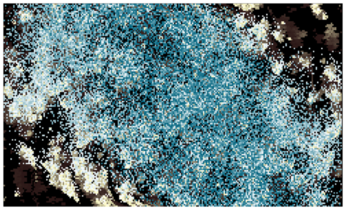
Over time, the rules of Conway's Game of Life inevitably lead to one of three outcomes: a static universe where all activity ceases, a periodic universe that falls into repeating cycles, or a chaotic configuration that eventually settles into one of the first two states. By introducing the rotation system, I disrupt this natural progression. The rotation does not change the fundamental rules, but it continuously perturbs the evolving patterns, preventing the grid from settling into true stagnation or simple repetition. In effect, I inject a subtle external influence that keeps the universe in motion, producing new interactions that would never arise in an unmodified Game of Life.
Buy this article as PDF
(incl. VAT)
Buy Linux Magazine
Subscribe to our Linux Newsletters
Find Linux and Open Source Jobs
Subscribe to our ADMIN Newsletters
Support Our Work
Linux Magazine content is made possible with support from readers like you. Please consider contributing when you’ve found an article to be beneficial.

News
-
AI Helped Develop a Linux Exploit
A use-after-free race exploit was discovered and exploited on CentOS Stream 9.
-
Yet Another Linux Kernel Vulnerability Discovered
Affecting millions of systems, a kernel flaw discovered by Qualys could allow users to gain root privileges.
-
Ubuntu 26.10 to Include Ubuntu Certified Hardware Check
If you've ever wondered if your laptop or PC is officially certified to run Ubuntu, that curiosity will soon be met.
-
Substantial Update to IPFire Now Available
The lastest version of IPFire features a fundamental change to how the system handles DNS.
-
Gnome Working on Test Center App to Make Testing Easier
It's now possible to test experimental features on the Gnome desktop without worrying that you'll break things.
-
New Vulnerability Discovered in Linux Kernel
Hiding out for nearly 15 years, the Ghostlock vulnerability allows a standard logged-in user to gain root privileges.
-
New Linux Flaw Lets Attackers Escape VMs
A 16-year-old vulnerability allows an attacker to escape a virtual machine, gain access to the host, and execute malicious code.
-
Hannah Montana Linux Is Back!
Developer Noah Cagle decided the world needed the once obscure but beloved Linux distribution and gave it a decidedly pink refresh.
-
System76 Refreshes the Lemur Laptop
If you're looking for a laptop with tons of power and battery, look no further than the latest iteration of the System76 Lemur Pro.
-
More than 43 Million Lines of Code in Linux Kernel 7.2
Using the cloc utility, Michael Larabel of Phoronix discovered that Linux kernel 7.2 has over 43 million lines of code.